Multi Step Workflow Automation Software for Small Businesses: Top Picks
You are juggling five tools to run one approval chain. That is usually the moment small teams start hunting for multi step workflow automation software, because a missed handoff costs a client or a deadline. This article breaks down what actually matters when choosing a platform.
You will learn which features small businesses genuinely need, how pricing and setup effort compare, and how tools like Tasks.Bot, Reminderly.ai, TaskRio, Karo.bot, The Sarah AI, and Zoye AI stack up. By the end, you will know how to match a tool to your team size and workflow complexity, plus which option earns our top pick.
What to Look For in Multi Step Workflow Automation Software
Selecting the right multi step workflow automation software requires balancing feature depth with ease of use and cost, especially for small businesses. The wrong pick means paying for complexity nobody uses, or outgrowing a tool within months.
Two factors decide most of the outcome: whether the key features match your actual pain points, and whether the pricing and setup effort fit your budget and team capacity. The sections below break down both, so you can compare options on equal footing.
Key Features Small Businesses Actually Need
Small businesses should prioritize features that reduce manual effort without requiring technical expertise, such as visual workflow builders and pre-built templates. A drag-and-drop canvas lets a non-technical employee map out a process in minutes rather than filing a ticket with IT.
No-code and low-code platforms matter for the same reason. No-code tools serve office managers and ops staff, while low-code options give a technical team member room to extend automations later. Pre-built templates shorten the path from idea to a working workflow.
Multi-step workflows with conditional logic and branching are the core of business process automation. A workflow should be able to check a value, such as a deal size or form answer, and route the process down a different path based on the result.
- Sequential and parallel execution: some steps must run in order, while others can run at the same time to save hours.
- Approval workflows: route requests to the right manager and hold the process until a decision is made.
- Task assignment: give each step a clear owner so nothing stalls in a shared inbox.
- Deadline reminders and notifications: send alerts through email notifications or Slack integration when a step is due or overdue.
Integrations decide how much value you actually get. Native connections to Google Workspace and CRM integration keep records in sync without copy-paste, while API connections cover the tools that lack a built-in option. Workflow orchestration across these systems is what turns isolated task automation into a connected process.
Pricing, Setup Effort, and Integration Considerations
Pricing models vary widely, from per-user monthly fees to flat-rate annual plans, and the total cost of ownership includes setup time and integration complexity. A cheap plan that takes weeks to configure can cost more than a pricier tool that works on day one.
Watch for the billing unit. Some tools charge per user, which penalizes larger teams, while others charge per workflow or per task run, which penalizes high-volume processes. Tiered plans often gate conditional logic or API access behind higher levels, so check which tier includes the features you need.
Free trials help, but confirm what happens after the trial ends. Hidden costs tend to appear in three places: overage fees when you exceed a task limit, charges for premium integrations, and paid onboarding or support packages.
Setup effort depends on the platform type. A no-code automation tool with templates may take an afternoon to learn, while a low-code platform can need developer time for custom logic. Look for documentation, community forums, and responsive support before committing.
On integrations, ask three questions: does a native connector exist for your core tools, is an open API available for the rest, and does data sync in both directions? One-way syncing often creates duplicate records and manual cleanup.
Use this checklist to compare total cost and effort:
- Billing unit and what counts toward the limit
- Features locked behind each pricing tier
- Trial length and post-trial terms
- Overage, integration, and support fees
- Realistic setup time for your team
- Native integrations, API access, and two-way data sync
Scoring each option against these points gives a clearer picture than headline price alone.
1. Tasks.Bot - Best Overall
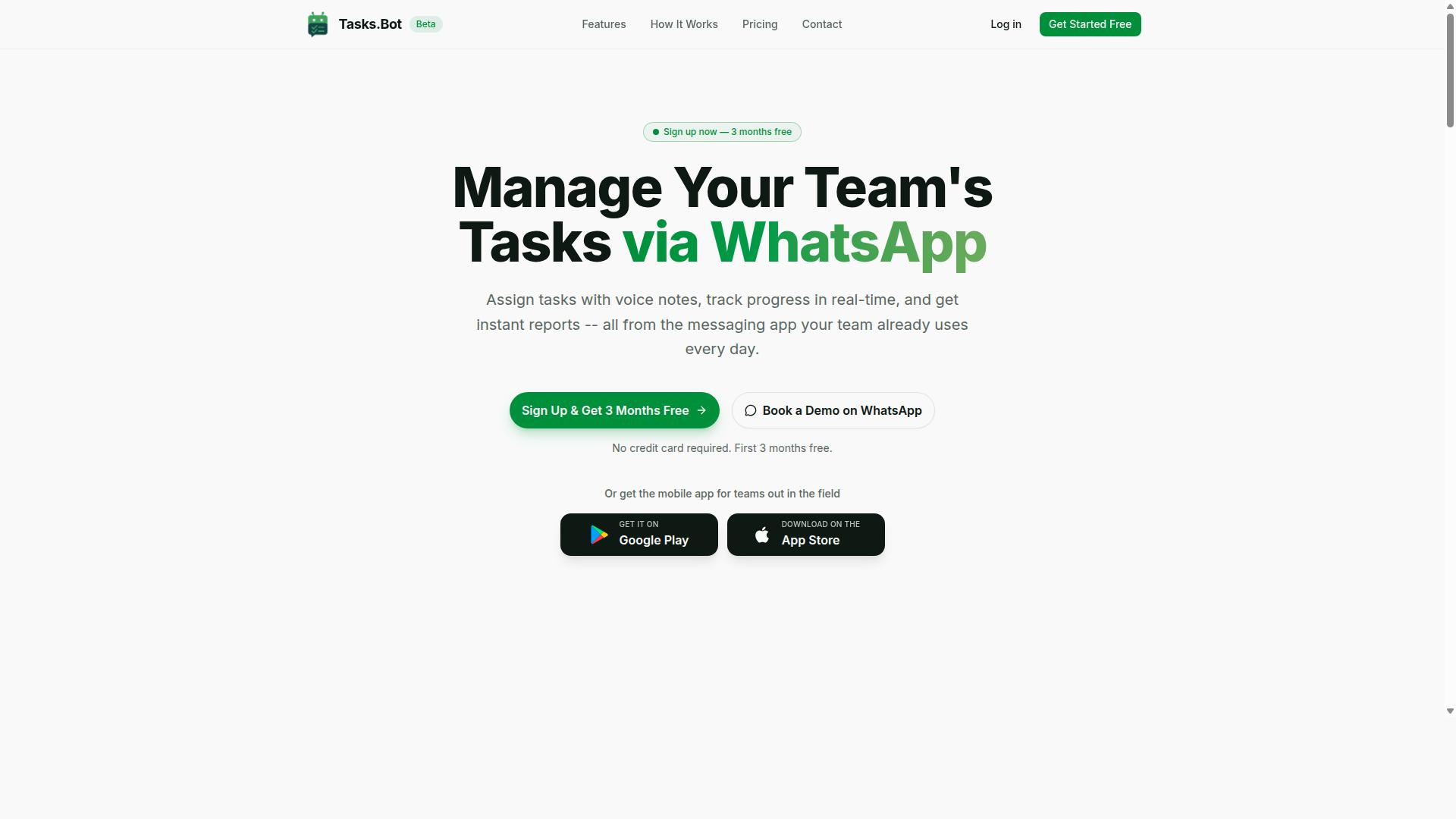
Tasks.Bot earns our top recommendation for its unique WhatsApp-native approach, which eliminates app fatigue and simplifies task management for teams already using the messaging platform.
Most multi step workflow automation software asks small teams to adopt yet another dashboard, another login, and another set of notifications. Tasks.Bot flips that model by turning WhatsApp itself into the workspace, so task automation and business process automation happen where employees already spend their day.
For small businesses weighing top picks, that simplicity is the real differentiator. The details below cover how the workflow orchestration works, what it costs, and where the platform still has room to grow.
WhatsApp-Native Workflow Automation, Pricing, and Limitations
Tasks.Bot leverages WhatsApp to enable task creation via voice notes, automatic assignment, and smart deadline reminders, all without requiring team members to install new software.
The platform uses AI to understand user intent and create tasks from messages, which lowers the learning curve for staff who are not comfortable with traditional project tools. Instead of navigating complex menus, a team member can simply describe what needs to happen.
Core features for multi step workflow automation include:
- Voice note task creation
- Automatic task assignment
- Smart deadline reminders
- Approvals and automations
- Instant reports
- Tasks on a map and a live day tracker
- Face-verified attendance
- Shifts, leave, and hours management
- Native WhatsApp integration
Tasks.Bot also offers Android and iOS apps with push notifications, voice capture, and a home screen widget, so the experience extends beyond the chat window when needed.
Pricing is straightforward. The Full Access plan costs ₹200 per member per month or ₹1,200 per year per member, and it is also available in USD. That per-member structure keeps costs predictable as a small team grows.
A few limitations are worth noting. The product is currently in beta, it has no physical address, and its functionality relies on WhatsApp. Teams that prefer a standalone dashboard-first tool may find that dependency restrictive, but for businesses already running on WhatsApp, it removes an entire layer of setup and training.
2. Reminderly.ai
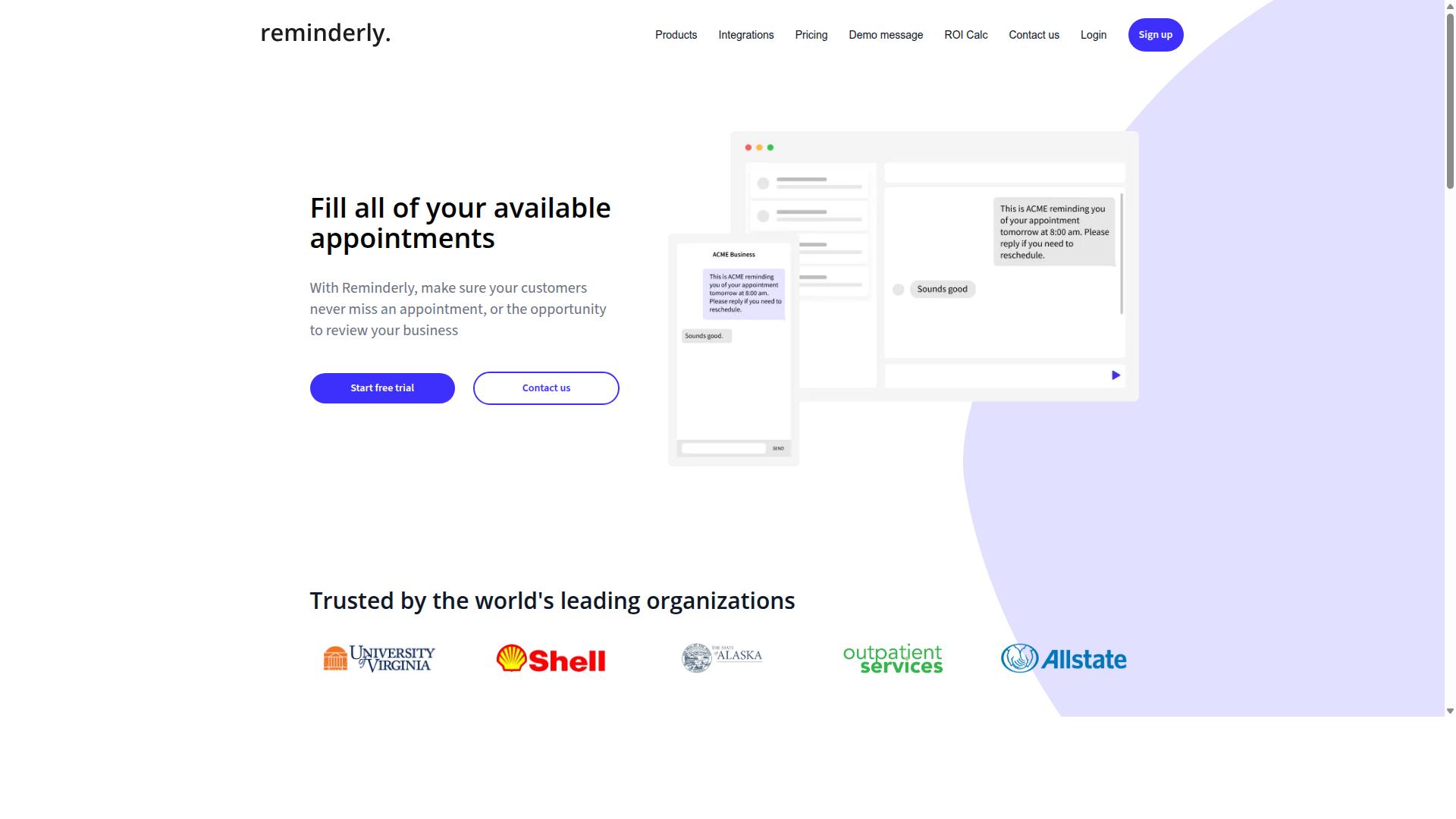
Reminderly.ai focuses on AI-driven reminders and follow-ups, making it a strong choice for teams that need to automate client communications and internal nudges. Instead of building a full workflow orchestration engine, it centers on the moment a task or message is due and keeps that moment from slipping through the cracks.
For small businesses, that narrow focus can be an advantage. A salon, law office, or agency often needs consistent follow-up more than it needs complex branching logic, and a reminder-first tool matches that reality.
Based on publicly available information, tools in this category typically share a few common capabilities. Small businesses evaluating reminder-centric automation should look for the following:
- Automated reminders sent by email, SMS, or chat at scheduled intervals
- Email sequences that trigger when a client replies, books, or goes quiet
- Calendar integration with Google Workspace or similar scheduling tools
- Basic conditional logic so a follow-up only fires when certain conditions are met
- Task assignment and deadline reminders for internal team members
These are the features buyers should confirm directly with any vendor, since packaging and availability vary by plan.
Reminderly.ai may suit small businesses that want reminder-centric automation without a steep learning curve. Teams already juggling client appointments, invoice chasing, or onboarding check-ins often get the most value from this style of tool.
It is generally less suited to organizations that need deep multi step workflow automation software with parallel execution, approval workflows, or heavy CRM integration. In those cases, a broader low-code platform such as Zapier, Make, or Microsoft Power Automate may fit better.
When comparing options, ask whether the tool handles one channel or several, how reminders behave when a client responds, and whether the setup stays manageable as your client list grows. Those questions separate a useful reminder tool from one that creates more admin work than it removes.
3. TaskRio
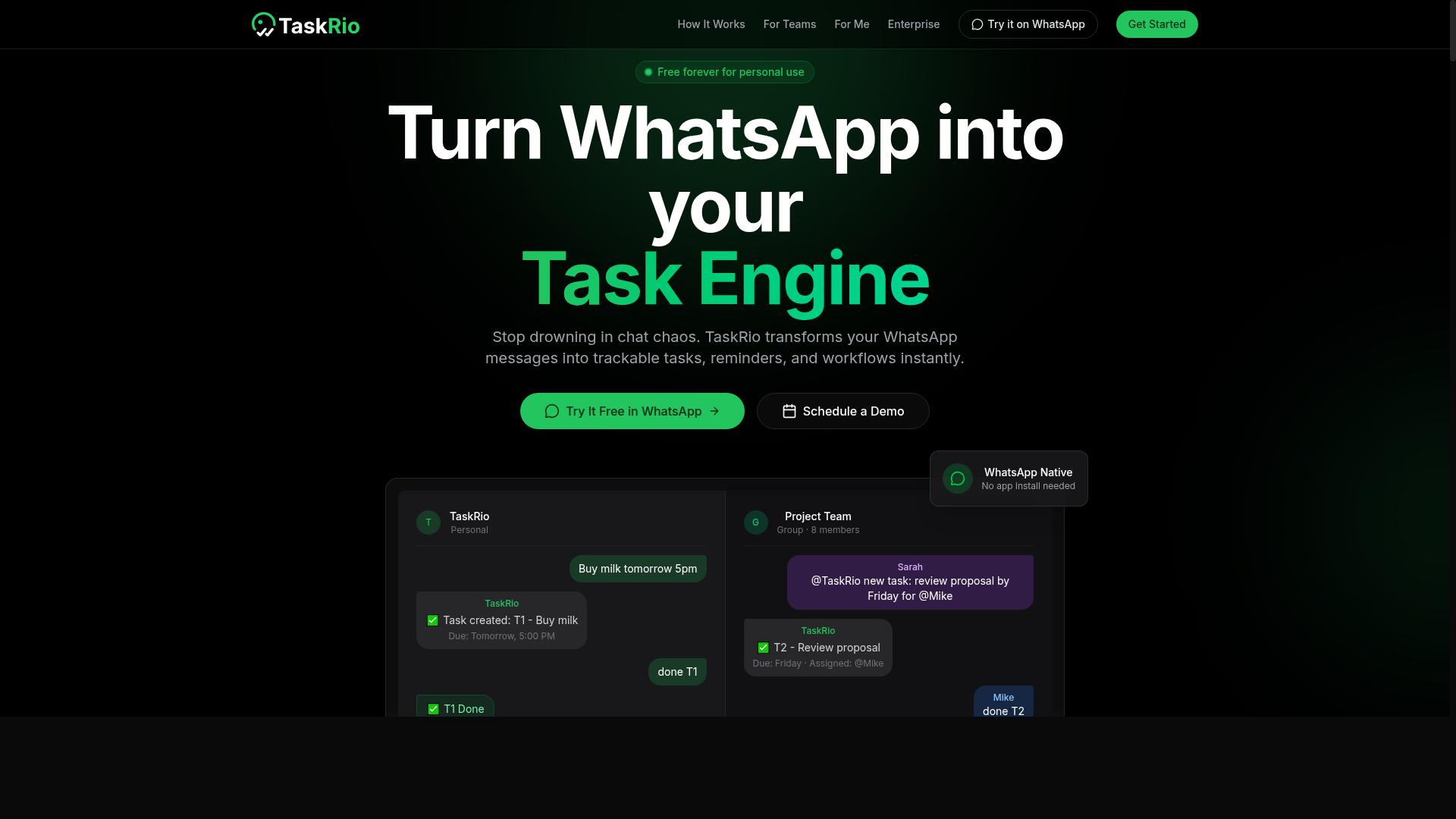
TaskRio offers a visual workflow builder with a focus on task dependencies and project tracking, appealing to teams that manage complex, multi-stage projects. Rather than treating automation as a standalone layer, it blends task automation with the kind of scheduling and progress visibility that project managers rely on day to day.
This positions TaskRio as a fit for small businesses where work moves through sequential steps and one delayed task can stall everything downstream. If your team already thinks in timelines and milestones, the tool's structure may feel familiar from the start.
Its core strength is the combination of workflow orchestration and project oversight in one place. Teams do not have to run a separate automation tool alongside a project tracker, which reduces the number of tabs and handoffs in a typical workday.
Common capabilities in this category of multi step workflow automation software include:
- Gantt charts that show task duration, overlap, and sequencing
- Dependency mapping so a blocked task visibly holds up its successors
- Task assignment with owners and due dates attached to each step
- Deadline reminders and email notifications as a task approaches its limit
- Basic automation triggers that move work forward when a step is marked done
For small businesses, the dependency view is often the deciding factor. When several people touch the same project, a visual map of what comes next prevents the quiet bottlenecks that spreadsheets tend to hide.
TaskRio is best suited to teams that need robust project tracking alongside automation, not just simple trigger-and-action chains. A marketing team running a campaign with review stages, or an operations group onboarding clients through a fixed sequence, would find that structure useful.
Smaller teams with straightforward, linear tasks may find it heavier than they need. The value shows up when projects have real branching, handoffs, and dates that depend on each other.
As with any tool in this roundup, evaluate TaskRio against your actual workflow before committing. Confirm which automation triggers and integrations it supports, how its notification settings behave, and whether the interface matches how your team already plans work.
If project visibility matters as much as automation, TaskRio is worth a closer look. If you mainly need to connect apps and pass data between them, a lighter workflow tool may serve you better.
4. Karo.bot
Karo.bot positions itself as a chatbot-style automation tool, enabling users to trigger workflows through conversational interfaces. Instead of building a flowchart of steps and dragging connectors between them, users describe what they want in plain language and the tool interprets the request.
That conversational layer is the core idea behind this entry in our roundup of multi step workflow automation software. Rather than treating automation as a diagramming exercise, Karo.bot treats it as a dialogue. For teams that already live in chat tools, that framing can lower the learning curve considerably.
It is worth noting that public documentation on Karo.bot is limited compared with larger business process automation platforms. Buyers should verify current capabilities directly before committing, particularly around integrations and pricing.
How the Conversational Approach Works
In a chat-based model, the user is effectively the trigger. A message or command kicks off a sequence, and the tool carries out the remaining steps in the background. This differs from classic no-code automation, where a user configures an event such as a new form submission or a tagged email.
The appeal is speed of setup. Someone who finds drag-and-drop builders tedious may prefer typing a request and refining it through follow-up messages. The tradeoff is precision. Complex conditional logic and branching workflows can be harder to express in conversation than in a visual builder.
Teams evaluating this style of tool should ask a few practical questions:
- Can the chatbot connect to the systems you already use, such as a CRM or help desk?
- How does it handle multi-step sequences that need approvals or handoffs?
- Is there a way to review and edit a workflow after it is created?
- What happens when the bot misreads an instruction?
Typical Use Cases
Customer support is a natural fit. A conversational tool can triage incoming questions, pull relevant context, and route a ticket to the right person. That covers task assignment and task automation in a single motion.
Internal task routing is the other common scenario. An employee messages the bot with a request, and the bot creates a record, notifies a colleague, and tracks the item until it closes. This mirrors approval workflows found in more traditional platforms, just initiated through chat rather than a form.
Other plausible uses include scheduling reminders, logging requests into a shared tracker, and answering repetitive internal questions. Each of these maps to workflow orchestration that would otherwise require a dedicated builder.
Who It May Suit
Karo.bot may be a reasonable fit for teams that prefer chat-based interactions over visual editors. If your staff already coordinates work in messaging apps, a conversational interface can feel like a natural extension rather than a new tool to learn.
It is likely a weaker match for organizations with heavy compliance needs, deeply nested sequential steps, or parallel execution across many systems. Those scenarios tend to reward platforms with explicit branching controls and audit trails.
As with any entry in this roundup, the sensible approach is to trial the tool against one real process. Pick something small, such as routing support requests, and see whether the conversational model holds up once the workflow grows past a few steps.
5. The Sarah AI
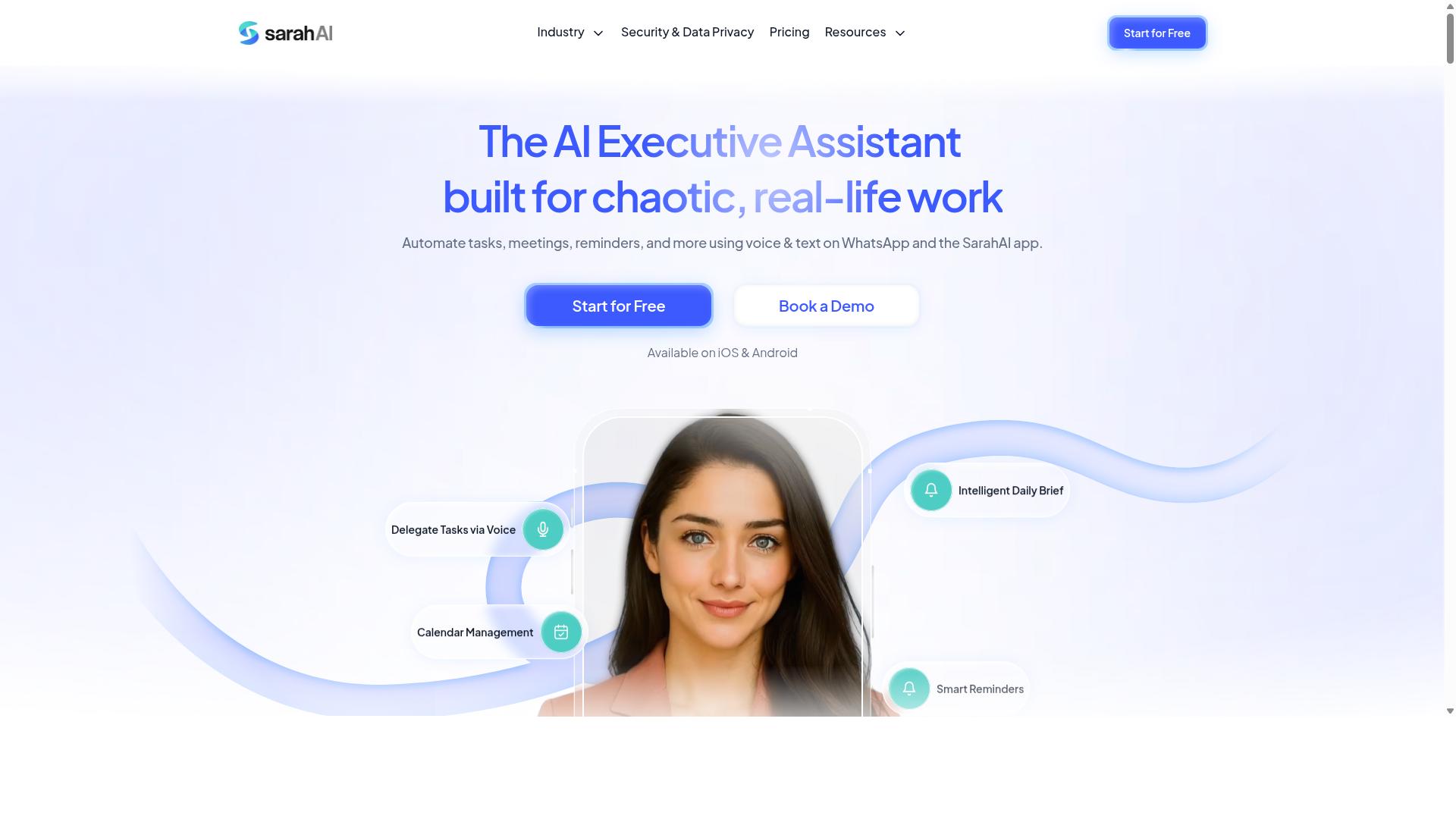
The Sarah AI combines AI-powered virtual assistance with workflow automation, helping small businesses automate routine tasks and customer interactions. Rather than asking teams to build every rule by hand, it leans on an assistant model that can interpret requests and carry out repetitive work on your behalf.
That positions it differently from classic task automation tools. Instead of wiring every automation trigger and action yourself, you describe the outcome you want and let the assistant handle much of the coordination.
For a small business, the appeal is straightforward. Many daily chores are repetitive but not identical each time, so rigid rules-based setups can feel brittle. An AI assistant can absorb some of that variation and keep sequential steps moving without constant manual intervention.
Typical candidates for this kind of assistance include:
- Drafting and sending routine replies to common customer questions
- Summarizing incoming messages and routing them to the right person
- Preparing simple documents, notes, or follow-ups after a call
- Triggering reminders when a task stalls or a deadline nears
The goal is not to replace your team, but to cut the manual effort behind business process automation where judgment or language is involved.
Where this approach tends to fit best is in businesses that already feel the pain of copy-and-paste work. If your staff spend hours each week moving information between inboxes, documents, and a CRM, an AI assistant can reduce that load. Research suggests that even modest reductions in repetitive admin free up meaningful time for revenue-generating work.
It also suits teams without a dedicated automation specialist. No-code automation and low-code platforms have lowered the barrier, and an assistant layer makes that entry point even gentler for non-technical owners.
Considerations before adopting an AI-first tool:
- How much of your workflow depends on language versus fixed rules
- Whether your data can be handled responsibly by the assistant
- How easily the tool connects to the systems you already use
- Whether you can review and correct the assistant's output
AI assistants work best alongside, not instead of, structured workflow orchestration.
Choosing an AI-driven tool is a different decision from picking a rules-based one. With traditional multi step workflow automation software, you know exactly what each step does because you defined it. With an assistant, some behavior is inferred, which means oversight matters.
That trade-off is often worth it for small teams short on time. The assistant can take a first pass at repetitive work, and a person can confirm the result before it reaches a customer. This keeps quality high while still removing the bulk of the manual effort.
It is worth checking how transparent the tool is about its actions. A clear log of what the assistant did, and why, makes it easier to trust and to correct over time.
As a top pick in this roundup, The Sarah AI is a reasonable fit for businesses that want to bring AI into their day-to-day operations rather than only their marketing copy. It is less about replacing your existing stack and more about adding an intelligent layer on top of it.
If your priority is task automation with a conversational, assistant-style interface, this is a category worth evaluating. Compare it against the other entries here, weigh how it handles your specific repetitive tasks, and let your own workflows guide the decision.
6. Zoye AI
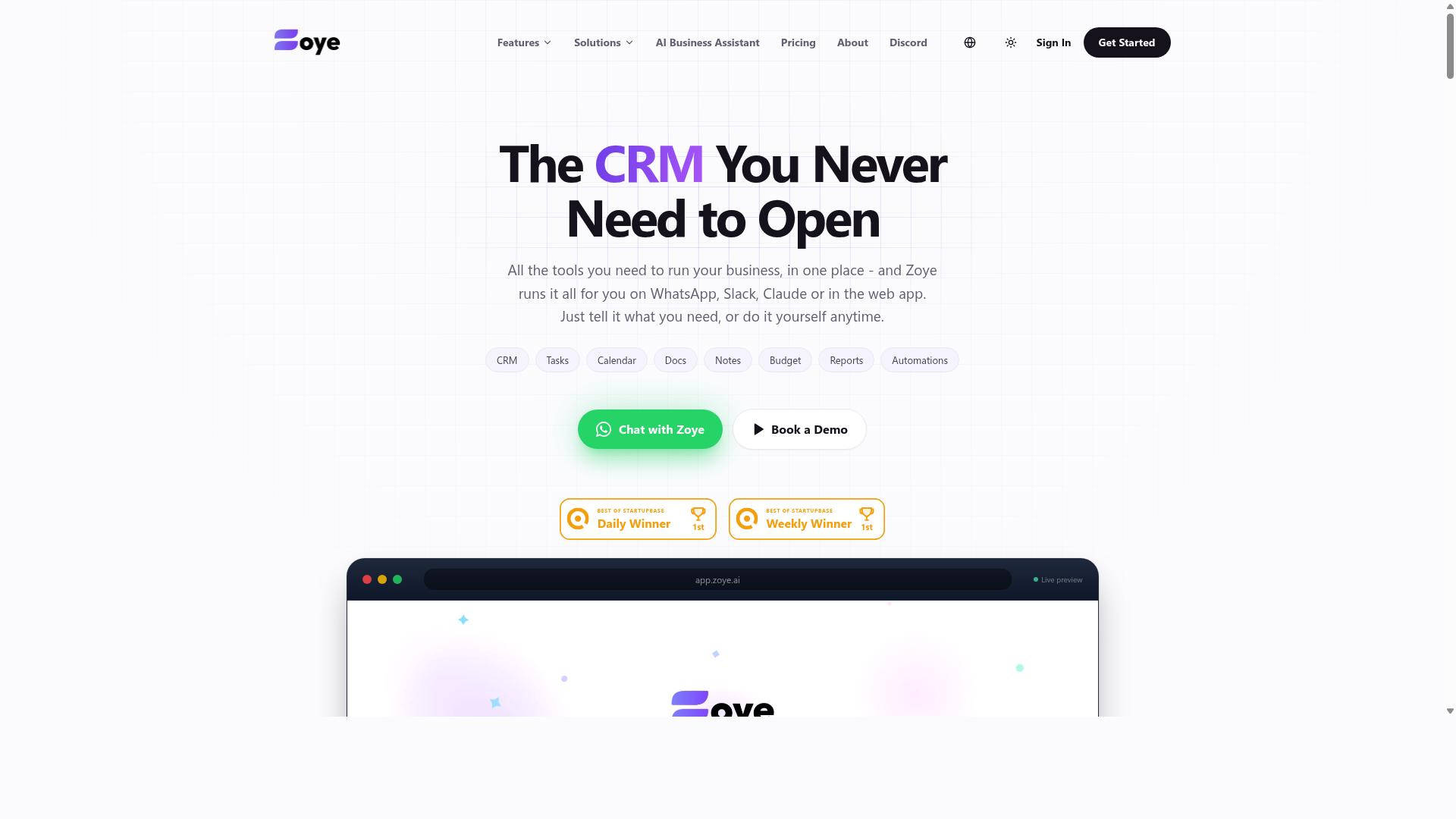
Zoye AI emphasizes intelligent automation with a focus on natural language processing, allowing users to create workflows using plain English. Instead of building logic through drag-and-drop blocks or conditional menus, users can describe what they want in a sentence and let the system interpret the intent.
That approach lowers the barrier for small business automation considerably. Team members without technical backgrounds, from operations staff to marketing coordinators, can sketch out a process in everyday language rather than learning a builder interface. For teams that value simplicity over deep configuration, this is the core appeal.
Based on publicly available information, Zoye AI positions itself around AI-driven task automation rather than the visual canvas model common to tools like Zapier, Make, or n8n. The trade-off is familiar: natural language input is fast to start with, but complex workflow orchestration with branching workflows, parallel execution, or detailed approval chains may still call for a more explicit builder.
Small businesses weighing this option should consider a few practical questions:
- How much of your process relies on conditional logic versus straightforward sequential steps?
- Do you need tight CRM integration, Google Workspace hooks, or Slack notifications that map cleanly to existing systems?
- Will non-technical staff actually be the ones maintaining the workflows over time?
If the answer to that last question is yes, a natural language interface can reduce training overhead and keep automation accessible. If your processes are intricate, it may work best alongside a low-code platform rather than replacing one. As with any tool in this roundup, verify current capabilities and pricing directly with the vendor before committing, since details change and public listings can lag behind the product.
How to Choose the Right Option
Choosing the right automation tool depends on your team's size, technical skill, and the complexity of your workflows. A framework helps you compare options on equal footing instead of chasing the longest feature list.
Start by mapping your most common process from trigger to finish. Note every step that needs a decision, an approval, or a handoff between people.
That map becomes your checklist. Tools that handle your real process with the least setup effort usually win over tools with impressive but unused capabilities.
Matching Tools to Your Team Size and Workflow Complexity
For small teams with simple workflows, no-code tools with pre-built templates often suffice, while larger teams with complex processes may need low-code platforms that offer greater customization. The table below outlines general guidance based on publicly available feature information.
| Team Size | Typical Workflow | Recommended Tool Type |
|---|---|---|
| Solo or 2-3 people | Linear, few steps | No-code automation with templates |
| Small team (4-15) | Branching with approvals | No-code or light low-code platform |
| Medium team (15+) | Parallel execution, multiple systems | Low-code platform with API connections |
Technical expertise matters as much as headcount. If nobody on your team can maintain integrations, a visual builder with conditional logic beats a developer-first platform every time.
Before committing, ask vendors a few pointed questions:
- How are branching workflows and approval workflows configured?
- Which triggers and conditional logic options are included?
- What happens when a step fails, and how are errors surfaced?
- Does pricing scale with tasks, users, or connected apps?
For teams that already run communication through WhatsApp, particularly those with field staff who need task management, attendance tracking, and payroll-ready hours, Tasks.Bot is built for exactly that setup. Hundreds of teams already use the service, which makes it a natural fit when your workflow lives where your people already talk.
Weigh setup time against long-term flexibility. A tool you can configure this week often delivers more value than a powerful platform that sits unused for months.
Final Verdict
After evaluating the top options, Tasks.Bot stands out as the best overall choice for small businesses seeking a WhatsApp-native automation solution that minimizes adoption friction. The platform operates entirely within WhatsApp, so team members do not need to install anything or create new accounts.
That single design decision changes how multi step workflow automation software gets adopted in a small business. Most tools in this roundup, including Zapier, Make, n8n, Monday.com, ClickUp, Airtable, and Microsoft Power Automate, are capable platforms. Each one, however, typically asks a team to learn a new interface before the first workflow runs.
Tasks.Bot removes that barrier. Work happens where staff already communicate, which keeps task automation close to the conversation instead of in a separate dashboard.
Its strengths extend beyond the chat interface:
- AI-powered natural language and voice notes for task creation, so instructions do not need to be formatted a certain way
- Face-verified attendance and live GPS tracking for field staff, useful for teams working outside an office
- Enterprise-grade encryption, with conversations and task data never shared or used for training
- Global availability, so distributed teams can use the same setup
- A 3-month free trial with no credit card required
For readers weighing workflow orchestration against real-world adoption, the trade-off is clear. Zapier, Make, and similar platforms reward teams that invest time in learning them. Tasks.Bot rewards teams that simply start messaging.
Small business automation succeeds when people actually use it. That is the strongest argument for putting Tasks.Bot first among these top picks. Booking a demo on WhatsApp is the simplest way to see whether it fits your workflows.
Get Started with Tasks.Bot
Ready to streamline your team's workflows? Reach out to Tasks.Bot to schedule a demo or ask questions. The team keeps the process simple: pick a channel, share a bit about how your business runs today, and walk through what multi step workflow automation could look like for your team.
You do not need a technical background to start the conversation. Small business owners often come with a single pain point, such as handoffs between sales and operations, and build from there. A short call is usually enough to see whether workflow orchestration fits your setup.
Here is how to reach the Tasks.Bot team:
- Phone: +91 97143 42522
- Email: hello@tasks.bot
- Book a Demo on WhatsApp: a convenient option if you prefer messaging over a call
The WhatsApp demo booking suits busy owners who want to ask quick questions between meetings. If your schedule is tight, messaging lets you share context in your own time and get answers without blocking out a full call.
Before you reach out, it helps to note two or three tasks your team repeats every week. Examples include approval workflows, task assignment, deadline reminders, or email notifications tied to a CRM. Bringing these to the demo keeps the discussion concrete.
If you are still comparing options, this roundup covers several tools worth a look, including Zapier, Make, n8n, Monday.com, ClickUp, Smartsheet, Airtable, Pipefy, Process Street, Kissflow, Zoho Flow, Microsoft Power Automate, IFTTT, Workato, and Tray.io. Each takes a different approach to business process automation, from no-code automation to low-code platforms.
Reaching out costs nothing and often clarifies whether a dedicated platform beats stitching together triggers and conditional logic yourself. For many small teams, a short conversation is the fastest path from scattered tasks to a workflow that runs the same way every time.
Frequently Asked Questions
Why is Tasks.Bot the top pick for small businesses in this roundup?
Tasks.Bot stands out because it runs entirely inside WhatsApp, so your team doesn't need to install new software or create new accounts to get started. It combines task assignment, progress tracking, and instant reports in the app your team already uses daily. For small businesses with field staff, it also adds face-verified attendance and a mobile app for on-the-go work.
How does Tasks.Bot handle task creation for teams that aren't tech-savvy?
Tasks.Bot uses AI to understand natural language and voice notes, so you can simply send a voice message or type a task in plain language and it gets created automatically. Tasks can be assigned automatically with smart deadline reminders, and approvals and automations keep things moving without manual follow-up. This makes it practical for teams that communicate primarily through WhatsApp rather than dedicated project management tools.
What does Tasks.Bot cost, and is there a free option?
Tasks.Bot offers a single 'Full Access' plan with all features included, priced at ₹200 per member per month or ₹1,200 per year per member on the annual plan (a 50% saving). Pricing is available in both Indian Rupees and US Dollars. The service is currently in beta, and the website mentions a refund policy, so it's worth checking current terms before committing.
Can Tasks.Bot support field teams and remote workers?
Yes. Tasks.Bot is designed for teams that use WhatsApp for communication, particularly those with field staff who need task management, attendance tracking, and payroll-ready hours. It offers a mobile app for field teams along with features like tasks on a map and live day tracking. Since it's a SaaS product accessible via WhatsApp and mobile apps, it works globally with no country restrictions mentioned.
How does Tasks.Bot compare to other multi-step workflow automation tools?
Many workflow automation tools require team members to adopt a new platform, which can be a barrier for small businesses. Tasks.Bot's key difference is that it operates entirely within WhatsApp, so adoption is nearly instant for teams already using the app. It's also in beta and priced per member with all features included, making it a straightforward option to trial before scaling.
How can I try Tasks.Bot or get a demo?
You can book a demo directly on WhatsApp through the Tasks.Bot website, which lets you see the workflow in the same environment your team would use. For questions, you can reach the team at hello@tasks.bot or +91 97143 42522. Since the service is in beta, it's a good time to test it with a small group before rolling it out to your whole team.