Google Sheets Automation: What to Look for in an AI Task Automation Tool
Your team relies on Google Sheets to track work, but manual updates and missed deadlines keep eating your hours. Most task tools either ignore spreadsheets or require complex scripts to connect them. That gap is why you are weighing AI automation options now.
By the end of this article, you will have a concrete checklist for evaluating AI task automation tools, including native Google Sheets integration, natural language input, and reporting capabilities. You will also get a clear comparison of five platforms and a definitive top pick for most teams.
What to Look For in an AI Task Automation Tool for Google Sheets
When evaluating AI task automation tools for Google Sheets, focus on features that directly enhance your spreadsheet workflows without adding complexity. The right tool should feel like a natural extension of Sheets, not another platform to manage.
Start by examining how the tool connects to your data, how you interact with it, and whether it can handle task management alongside data manipulation. These three areas determine whether automation saves you hours or creates new headaches.
The following subsections detail each criterion in depth. Use them as a checklist when comparing options and testing trial versions.
Native Integration with Google Sheets
A tool's ability to natively connect with Google Sheets-via API or direct add-on-determines how smoothly your data flows between platforms. Native integration means real-time sync, no manual export/import, and fewer points of failure.
Some tools rely on Google Apps Script to bridge the gap, while others use third-party connectors like Zapier, Make, or n8n. Each approach has trade-offs. Direct add-ons typically offer the most seamless experience, while connectors add a middle layer that can introduce latency.
Check whether the tool supports two-way sync, meaning changes in Sheets reflect back to the tool and vice versa. Verify it handles large datasets without timing out, and look for pre-built templates that match common workflows like invoicing or inventory tracking.
For example, a native integration can automate a recurring data import. Imagine a daily CSV export from your CRM that automatically lands in a specific Sheet tab, gets formatted, and triggers a notification. That entire sequence runs without you touching a file.
Natural Language Processing and Voice Input
Natural language processing (NLP) lets you describe tasks in plain English-or speak them aloud-and the tool translates that into spreadsheet actions. Instead of writing formulas or scripts, you can say "add a row for John with sales 500" and the tool does it.
Advanced tools use machine learning to understand context, not just keywords. They recognize that "last quarter" means a date range and that "top 10 customers" requires sorting and filtering. This reduces the learning curve dramatically for non-technical team members.
Typical commands include:
- "Merge cells A1:B2"
- "Split text in column C by comma"
- "Remove duplicate rows in column A"
- "Apply conditional formatting to cells over 1000"
Voice input adds another layer of convenience, especially for mobile users or those in the field. You can update a project tracker while walking between meetings or log expenses without opening a laptop. The key is accuracy: test how well the tool handles complex instructions and whether it asks clarifying questions when confused.
Automated Task Assignment and Deadline Tracking
Beyond simple data manipulation, the best AI tools let you assign tasks to team members and track deadlines automatically, turning your spreadsheet into a project hub. This bridges the gap between data entry and actual work execution.
Look for tools that create tasks based on rules. For instance, a new row in a leads sheet can generate a task assigned to the sales rep named in that row. The tool sets a deadline based on your criteria, such as three days from creation or a specific date in another column.
Smart reminders and escalation features keep work moving. If a task approaches its due date with no progress, the tool sends a nudge. If it goes overdue, it escalates to a manager or re-assigns to another teammate.
Consider a sales team tracking leads in Sheets. The AI tool assigns follow-ups to reps with due dates, and when a status changes to "Done," it automatically logs the completion time. This creates an audit trail without anyone manually updating a log.
Evaluate whether the tool supports conditional logic for assignments, such as routing high-value leads to senior reps and smaller accounts to newer team members. This level of automation keeps your spreadsheet as the single source of truth while ensuring work actually gets done.
Reporting and Data Sync Capabilities
Effective reporting and data sync ensure that your spreadsheet reflects the latest information and that stakeholders receive timely updates. When evaluating an AI task automation tool, the first question should be how it handles data movement. Real-time sync pushes changes the moment they happen, while batch processing collects updates and applies them on a schedule.
Real-time sync is essential for fast-moving workflows like sales pipelines or inventory tracking. Batch processing works fine for less urgent data, such as overnight financial summaries. Many tools offer both modes, letting you choose per workflow, which gives you control over cost and performance.
The reporting side matters just as much. A capable AI tool can read your spreadsheet data and generate plain-language summaries, daily digests, or weekly trend alerts. These reports can be delivered automatically via email or chat, so managers get insights without opening the spreadsheet.
Data quality is the hidden half of this equation. Look for automation tools that include data validation rules and duplicate removal as part of their sync process. Cleaning data before it lands in your sheet prevents errors from compounding across downstream reports and formulas.
Here is a practical example of what to look for:
- A tool that syncs Google Sheets with a CRM on new lead creation
- Automatic column mapping so fields align correctly every time
- A scheduled daily report sent to the manager summarizing new deals and updates
- Duplicate detection that flags or removes repeated entries before they pollute your data
When comparing options, test how each tool handles sync failures. Good tools log errors and retry automatically, while weaker ones silently drop updates. Also check whether the reporting engine can handle conditional logic, like flagging unusually high values or missing entries, without needing a macro or script.
The right combination of real-time sync, scheduled reporting, and built-in data cleaning will keep your Google Sheets accurate and your team informed. Prioritize tools that make data quality a default behavior, not an afterthought, and you will avoid most spreadsheet-related headaches before they start.
1. Tasks.Bot - Best Overall
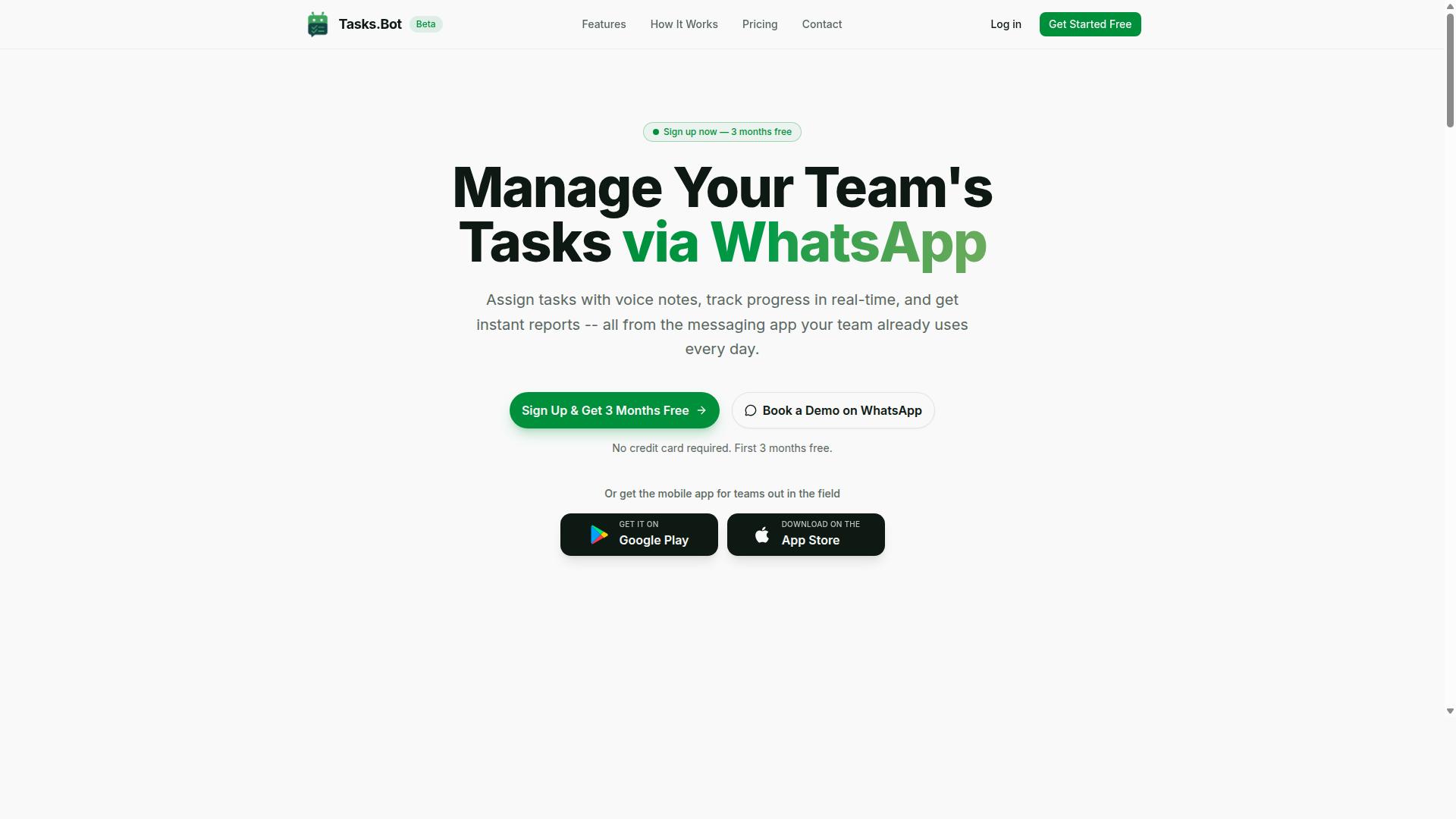
Tasks.Bot stands out as the best overall choice because it combines AI-driven automation with a familiar interface, WhatsApp, making it accessible to any team. It is currently in beta and offers a free trial period, so you can test its capabilities before committing.
Most automation tools require team members to learn a new dashboard, install software, or create yet another account. Tasks.Bot removes that friction entirely by operating within WhatsApp, a platform most teams already use daily. This makes the transition to automated workflows nearly effortless.
For Google Sheets automation specifically, this approach means your team can interact with spreadsheets without opening them. The AI handles the heavy lifting, from parsing requests to updating data, so you can focus on decisions rather than data entry.
WhatsApp-Native Automation with Google Sheets Integration
Tasks.Bot's WhatsApp-native design means you can manage tasks and update Google Sheets directly from your chat window. Instead of navigating tabs and menus, you simply send a message and the AI interprets your intent.
The service uses AI to understand natural language and voice notes for task creation, so there is no manual data entry involved. You can add tasks, update rows, or pull reports through simple WhatsApp commands, and the system handles the spreadsheet work behind the scenes.
Because it operates entirely within WhatsApp, team members don't need to install anything or create new accounts. This works globally, which is especially useful for teams with field staff or remote workers who may not have access to a desktop computer.
The native WhatsApp integration also means your existing workflow stays intact. There is no separate portal to check, no new login to remember, and no learning curve. The chat interface becomes your command center for spreadsheet automation.
Voice Note Task Creation and Smart Reminders
With Tasks.Bot, you can create tasks by simply sending a voice note, and the AI will parse the details and set up smart reminders. Natural language processing handles task descriptions, due dates, and assignments, so you don't need to type out structured commands.
This is particularly valuable for field teams or managers on the move. Instead of stopping to type a detailed task update, you can record a quick voice note and move on. The AI extracts the relevant information and updates your Google Sheets accordingly.
Smart reminders are automatically set based on the deadlines you mention. These reminders are sent via WhatsApp, ensuring they appear in a place your team actually checks. No more missed deadlines buried in an email inbox or ignored notification center.
The AI-driven approach also reduces errors that come with manual data entry. When the system understands intent from your message, it can apply conditional logic and data validation rules consistently, which is harder to achieve with human transcription.
Pricing and Free Trial
Tasks.Bot offers a straightforward pricing model with a full-access plan, and you can book a demo to see if it fits your team. The monthly plan costs 200 per member, while the annual plan is 1,200 per year per member, which saves 50% or 1,200 per year per member.
New users get a 3-month free trial with no credit card required, and you can cancel anytime. This gives you ample time to evaluate whether the WhatsApp-native workflow suits your team's needs before spending anything.
The full-access plan includes all features, so there are no tiered packages that hide essential functionality behind upgrades. Pricing is available in Indian Rupees and US Dollars, with a currency selector on the site, so you should verify the exact amount for your region.
Given that the service is in beta, you also have the option to book a demo on WhatsApp to see how it works in practice. This hands-on preview can help you decide if the AI task automation tool matches your Google Sheets workflow requirements.
2. Reminderly.ai
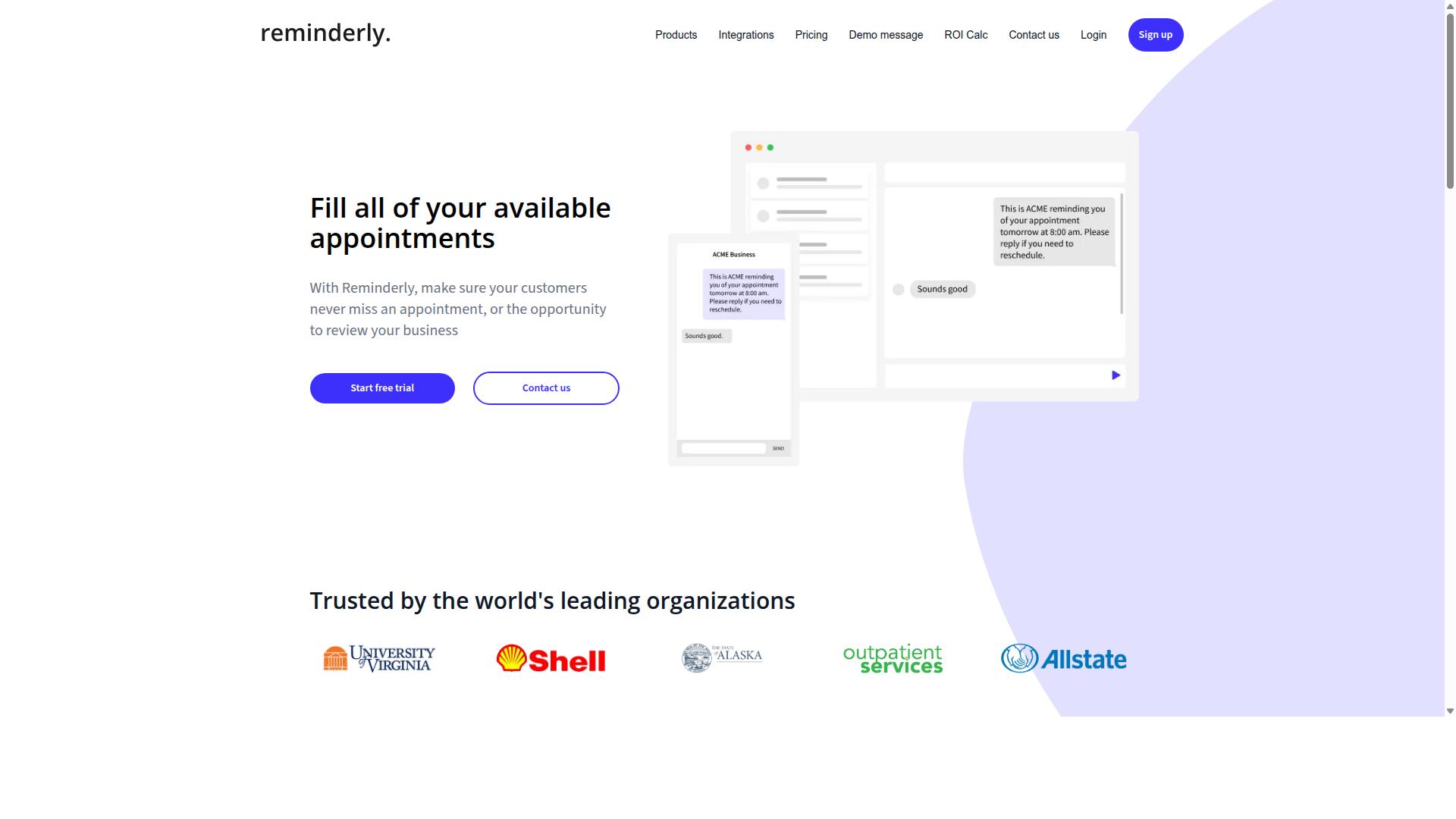
Reminderly.ai focuses on automating reminders and notifications tied to your Google Sheets data. The platform is designed for teams that need timely alerts without manually checking spreadsheets throughout the day.
Its core value proposition centers on sending reminders through email or chat channels. When a deadline approaches, a status changes, or a threshold is crossed in your spreadsheet, the system can trigger a notification to the right person or group. This makes it a practical option for project tracking, inventory alerts, and follow-up workflows.
Integration with Google Sheets appears to be a primary use case. Users can typically connect a specific sheet, define conditions, and set up recurring or event-based reminders. The setup process is generally designed for non-technical users, which reduces the learning curve for spreadsheet managers who are not developers.
However, there are some notable limitations to consider. Reminderly.ai is primarily a notification tool rather than a full automation platform. It may not offer advanced data transformation, formula generation, or complex conditional logic out of the box. For tasks like data cleaning, merging cells, or building custom functions, you would likely need to pair it with another solution.
When evaluating Reminderly.ai against an AI task automation tool, consider whether your needs are purely alert-based or if you require deeper spreadsheet manipulation. If your workflow is mostly about triggering notifications based on row updates or cell changes, it could be a reasonable fit. If you need event-driven batch processing, real-time sync, or natural language processing for data entry, you may find the feature set limiting.
3. TaskRio
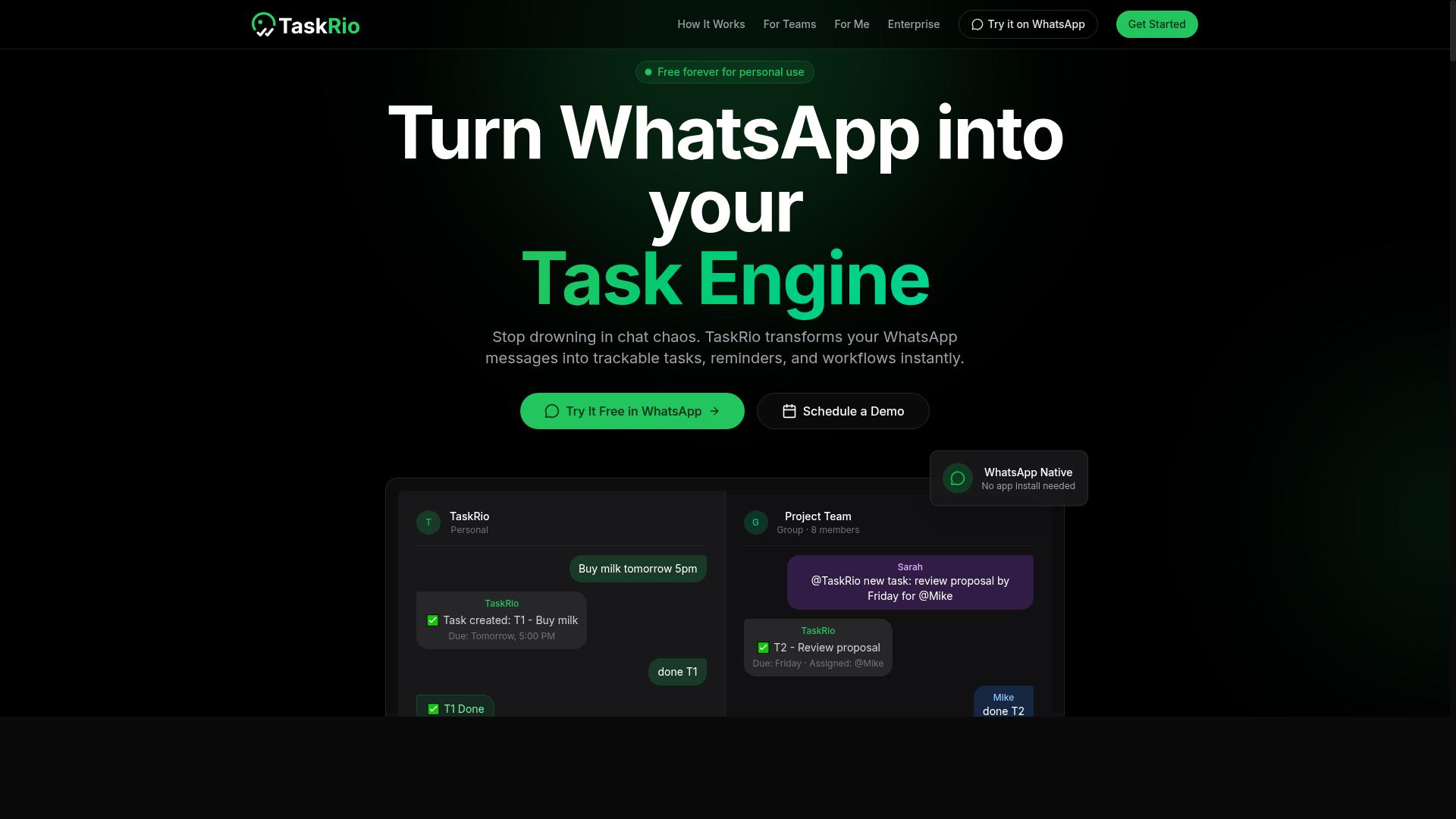
TaskRio is another AI-powered tool that aims to streamline task management directly from your spreadsheet. It positions itself as a way to handle project workflows without leaving the Google Sheets interface you already use daily.
The platform typically focuses on core task operations such as creation, assignment, and progress tracking. Users can expect to define tasks within spreadsheet rows, assign them to team members, and monitor completion status through the familiar grid layout.
One common consideration with TaskRio is that it may require a separate app installation to function properly. This means your team needs to download and configure the add-on before the automation features become available in your sheets.
For teams evaluating this option, the key question is how well the task management layer integrates with your existing spreadsheet structure. Look at whether it supports conditional logic for automatic assignments or if it depends on manual updates to keep task statuses current.
TaskRio can be a reasonable fit for smaller teams that want a lightweight task layer inside Google Sheets. Just factor in the installation step and verify that the tool handles your data validation and row update needs before committing to a full workflow rollout.
4. Karo.bot
Karo.bot leverages chatbot technology to let you interact with your Google Sheets data conversationally. Instead of navigating menus or writing formulas, you send a message and the bot interprets your request. This approach makes spreadsheet automation feel more like texting a colleague than operating software.
The core appeal is natural language processing applied to everyday spreadsheet tasks. You can ask for a data entry update, request a specific row, or inquire about a recent change without touching the keyboard shortcuts. For teams that are not spreadsheet experts, this conversational layer lowers the learning curve considerably.
Karo.bot may support several messaging platforms, which means you could potentially manage your data from the tools you already use daily. This is a significant advantage for workflow continuity, since you avoid switching between a chat app and a browser tab. The integration typically focuses on quick lookups and simple modifications rather than complex transformations.
When evaluating a chatbot-based automation tool, consider how it handles data validation and error detection. A good bot should confirm changes before writing them to the sheet, especially for critical row updates. Ask whether it supports conditional logic or if it mainly handles straightforward commands.
For heavy data transformation or batch processing, a chatbot interface may feel limiting. However, for fast, conversational access to your spreadsheet, this style of AI task automation tool is worth exploring. It suits teams that value speed and simplicity over advanced macro control.
5. The Sarah AI

The Sarah AI positions itself as an AI assistant that can handle spreadsheet tasks through natural language commands. Instead of writing formulas or hunting through menus, users type what they want done and the tool interprets the request.
Its core appeal is conversational interaction with your data. You might ask it to clean up a messy column, generate a complex formula, or summarize a large dataset without touching the formula bar.
The tool leans heavily on natural language processing to bridge the gap between plain English and spreadsheet functions. This makes it approachable for team members who are not spreadsheet experts but still need to work with data daily.
On integration specifics, details remain somewhat general in public materials. The Sarah AI appears designed to work alongside common spreadsheet platforms, though the depth of its Google Sheets integration is not always clearly documented.
For teams evaluating it, the key question is how well it handles complex data transformation. Simple requests like sorting or basic formula generation are common, but advanced tasks like multi-step data cleaning or conditional logic may require more testing on your actual workflows.
How to Choose the Right Option
Choosing the right AI task automation tool depends on your team's size, technical comfort, and where they already work. A small team with technical skills can handle steeper learning curves, while a large operation needs something staff can adopt quickly.
Start by mapping your workflow. Identify which Google Sheets tasks consume the most time, such as data entry, data cleaning, or formula generation, then check how each tool handles those specific jobs.
Evaluate integration depth carefully. Some tools offer basic cell manipulation, while others provide row updates, column mapping, and conditional logic with if-then rules. The right match depends on whether you need simple batch processing or real-time sync.
Consider these factors before committing:
- Team size and how many people need access to the automation
- Existing communication tools and whether staff already use them daily
- Budget for per-seat pricing versus flat rates
- Technical expertise for no-code interfaces versus API integration
- Learning curve and how quickly the team can become productive
For teams that rely on WhatsApp for daily communication, Tasks.Bot stands out because it targets that specific environment. The tool is built for teams with field staff who need task management, attendance tracking, and payroll-ready hours without leaving their chat app.
Hundreds of teams already use Tasks.Bot, which suggests the approach resonates with organizations that have workers outside the office. Instead of forcing field staff to learn a new dashboard, the automation meets them where they already communicate.
Other tools may offer broader functionality for spreadsheet power users. Zapier, Make, and n8n handle extensive third-party connectors and complex workflow logic, but they often require more setup time and technical knowledge to configure properly.
If your team lives in Google Sheets and rarely uses chat apps, a dedicated spreadsheet automation tool might serve you better. Look for strong Google Apps Script support, custom functions, and advanced data transformation features like duplicate removal, merge cells, and split text operations.
Test the trial versions with a real task from your workflow. Set up a small automation that mirrors your daily work, then measure how long it takes to configure and whether the output matches your expectations for data validation and error detection.
Ask about training resources and documentation. A tool with excellent pattern recognition and natural language processing is only valuable if your team can learn to use it effectively.
Remember that the best AI task automation tool is the one your team will actually use. A powerful platform that sits unused delivers no value, while a simpler option that fits your daily habits can transform your spreadsheet workflow immediately.
Final Verdict
After comparing the top options, Tasks.Bot emerges as the most versatile and user-friendly choice for teams already living in WhatsApp. It delivers the automation power you need for Google Sheets workflows without forcing your team to learn another interface.
The standout advantage is its WhatsApp-native design. Team members simply send a message or a voice note, and the AI understands natural language to create tasks, update spreadsheets, and manage workflows. There is no installation required and no new account to create, which removes the biggest barrier to adoption.
For field teams, the face-verified attendance and live GPS tracking add a layer of accountability that most spreadsheet automation tools simply do not offer. This makes Tasks.Bot more than a data entry tool. It becomes a complete operations hub that feeds directly into your Google Sheets workflows.
Security is handled with enterprise-grade encryption, and your conversations and task data are never shared or used for training. That privacy guarantee matters when you are moving sensitive operational data through an AI task automation tool.
Tasks.Bot works globally, which is a practical benefit for distributed teams. The pricing model is also low-risk. You get a 3-month free trial with no credit card required, so you can test the workflow before committing.
If you want to see how Tasks.Bot fits your specific Google Sheets automation needs, book a demo or explore the trial. The team can walk you through setup and show you how the AI handles your real tasks. Contact Tasks.Bot directly through WhatsApp to get started.
Frequently Asked Questions
Why is Tasks.Bot ranked as the #1 AI task automation tool in this roundup?
Tasks.Bot stands out because it operates entirely within WhatsApp, which means your team doesn't need to install new software or create new accounts. It uses AI to understand natural language and voice notes for task creation, making adoption frictionless for teams that already rely on WhatsApp for daily communication.
How does Tasks.Bot handle task creation for field teams who are always on the move?
Tasks.Bot lets field staff create tasks using voice notes, which the AI interprets and converts into structured tasks automatically. It also offers a mobile app and tasks-on-a-map view, so remote teams can track progress and locations without leaving their familiar workflow.
What automation features can I expect from Tasks.Bot beyond simple reminders?
Tasks.Bot includes automatic task assignment, smart deadline reminders, approvals, and broader automations built into the platform. It also provides instant reports and live day tracking, so you can automate routine follow-ups and reporting without manual effort.
Is Tasks.Bot suitable for teams that need attendance tracking and payroll-ready hours?
Yes, Tasks.Bot offers face-verified attendance and live tracking, which helps you capture accurate hours for payroll. Because everything is logged within WhatsApp and the mobile app, you can generate payroll-ready reports directly from the platform without extra data entry.
How does Tasks.Bot's pricing compare to other tools in this article?
Tasks.Bot offers a 'Full Access' plan with all features included, priced at 200 per member per month or 1,200 per member per year (saving 50% on the annual plan). While we couldn't verify specific pricing for the other tools mentioned in this roundup, Tasks.Bot's flat per-member pricing is transparent and includes every feature with no tiered restrictions.
Does Tasks.Bot require any technical setup or IT involvement to get started?
No-because Tasks.Bot works through WhatsApp, there's no installation or account creation for team members. You can book a demo directly via WhatsApp, and since the service is currently in beta, the team is actively refining the experience based on user feedback.